
Notices
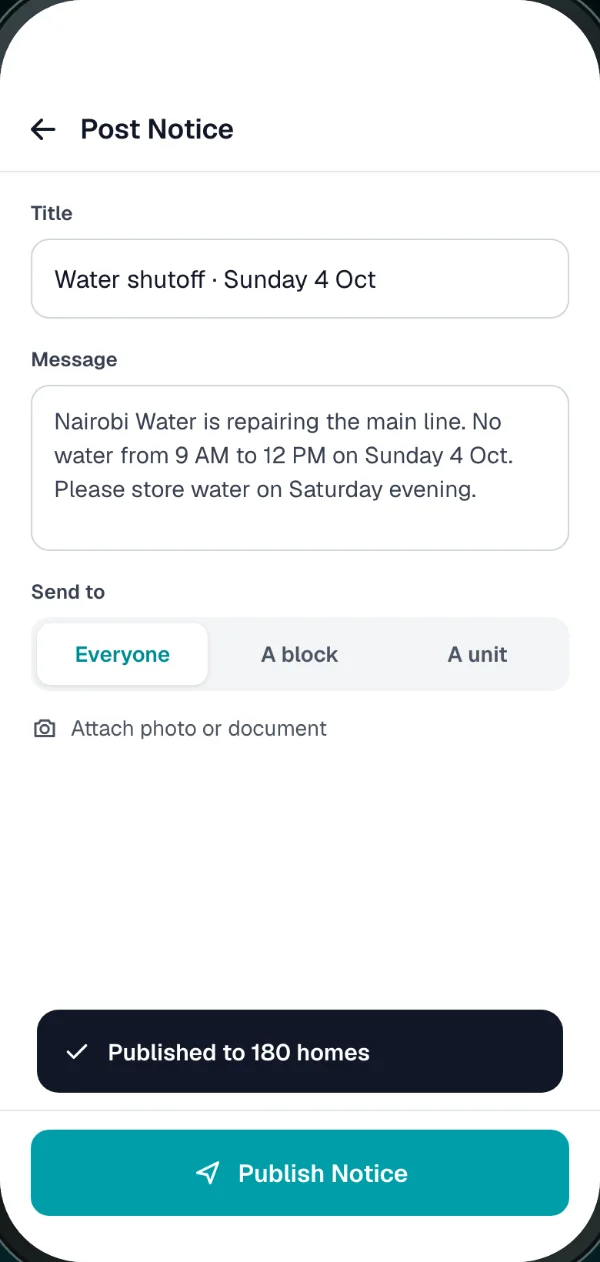
Water shut-off on Thursday, fumigation, the AGM date. Send to everyone, one block or one unit, and residents get a notification.
Visitor management for Nairobi apartments and compounds
BomaSafe puts a phone at your gate. The guard logs each visitor, the resident gets a notification and taps Approve or Deny, and every entry is saved. It replaces the paper gate book.
The 48-second version

GuardResidentManagerNight Buzzer
The problem
BomaSafe asks the resident before the gate opens, and keeps the answer.
How it works
Three steps, all in the time it takes to walk up to the gate.
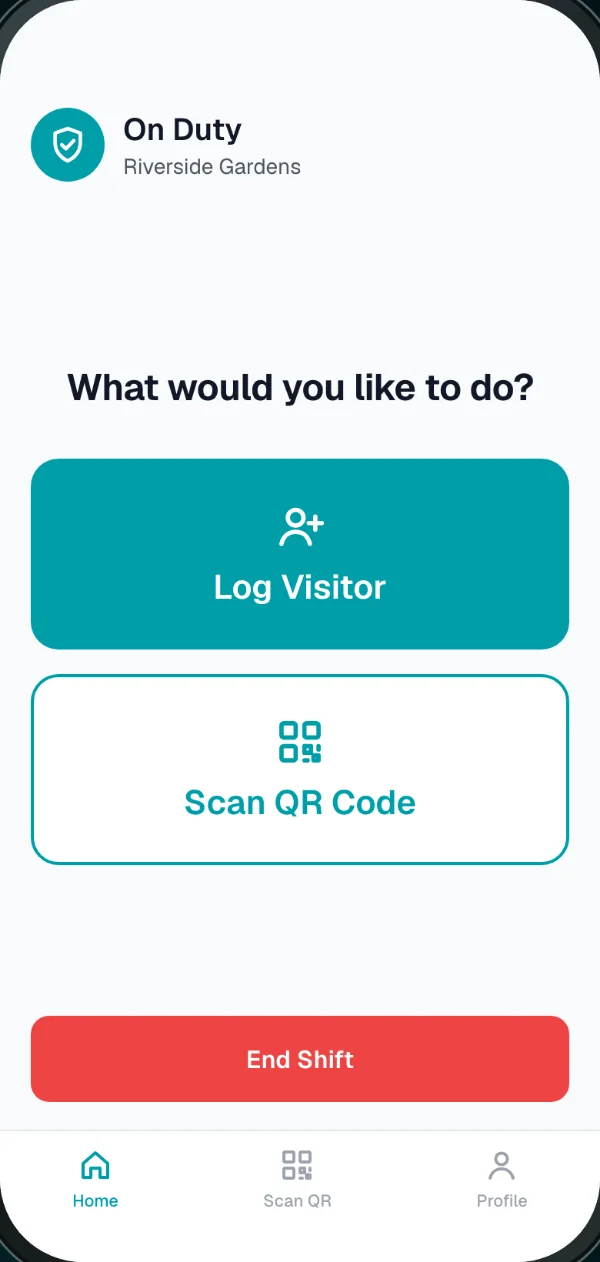
Someone arrives. The guard taps Log Visitor and adds their name, phone number and unit. Deliveries and fundis also get a photo of their ID.
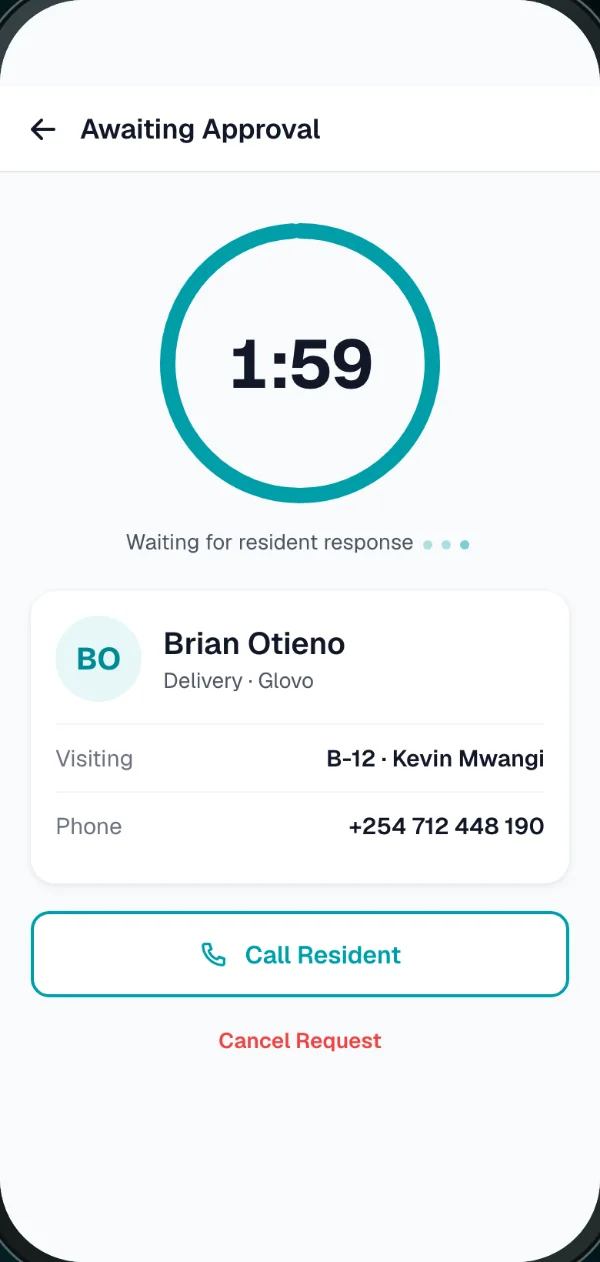
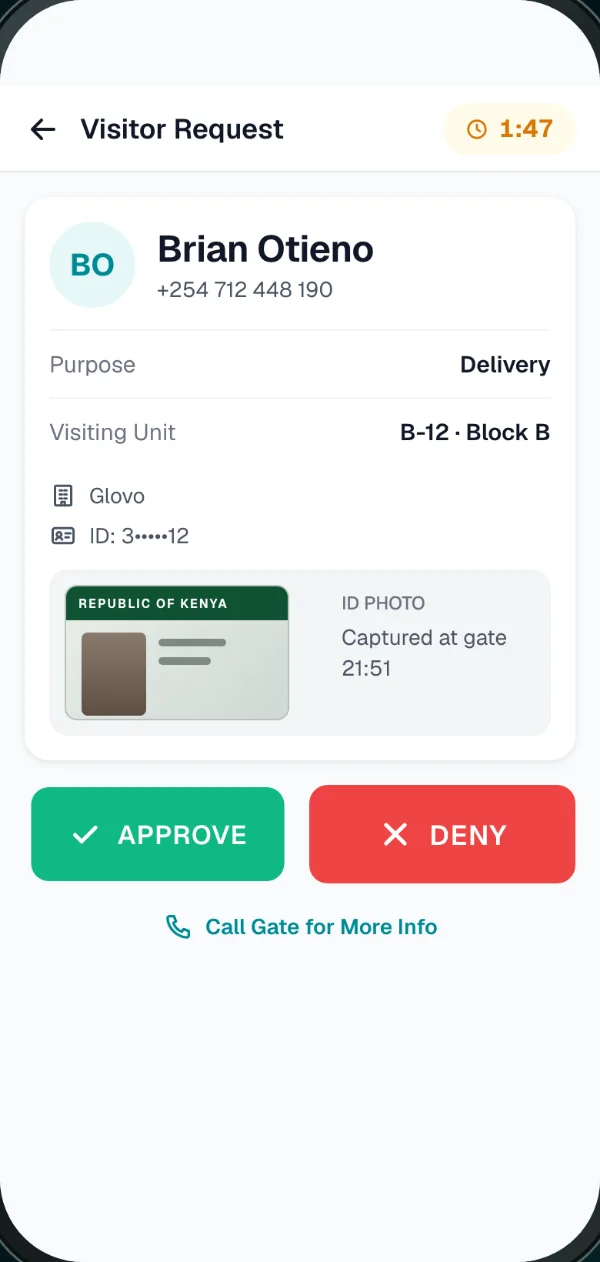
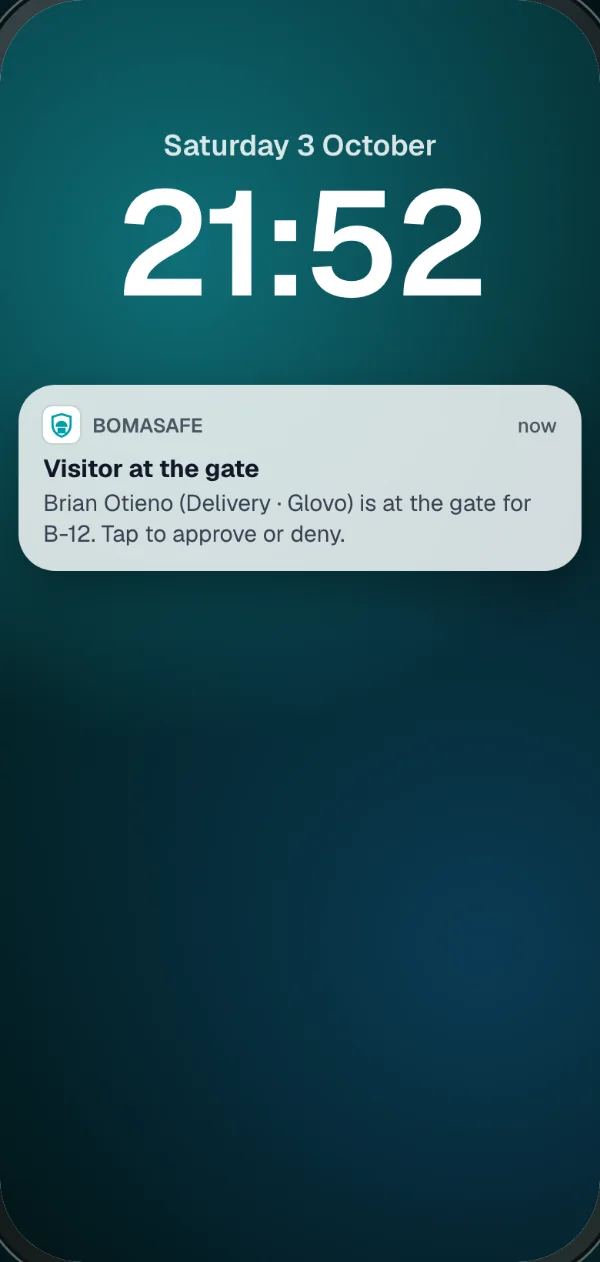
The resident's phone buzzes with who's at the gate. They tap Approve or Deny. If nobody answers within 2 minutes, the answer is no.
The guard sees the decision on screen, and the visit goes into the log with the time and who approved it.
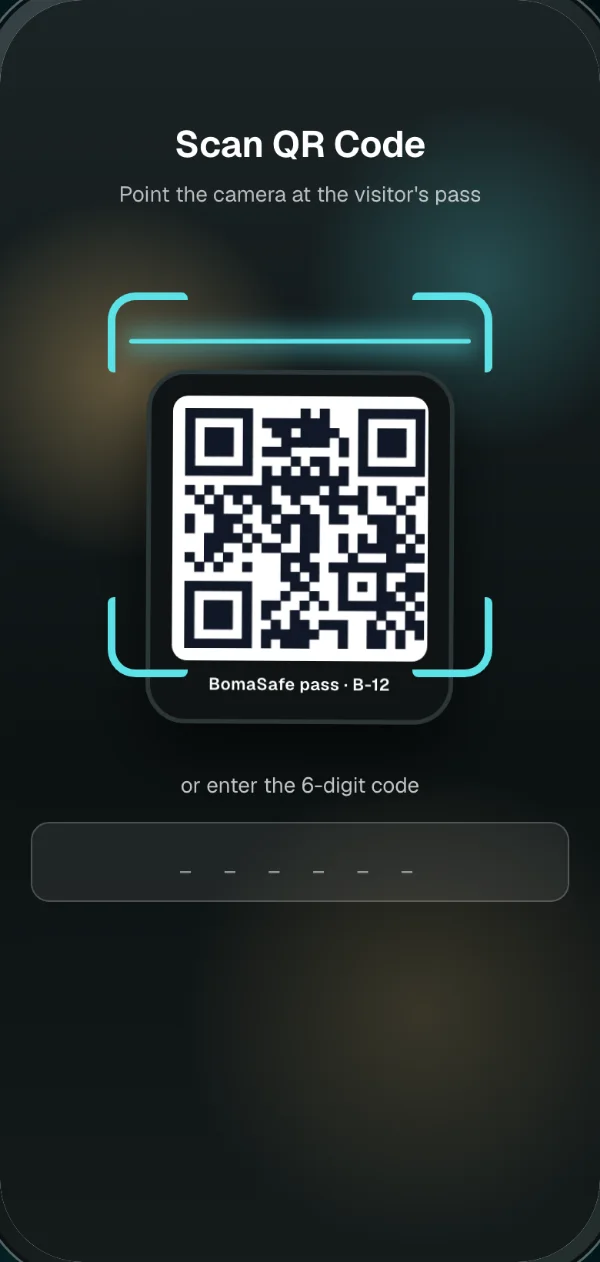
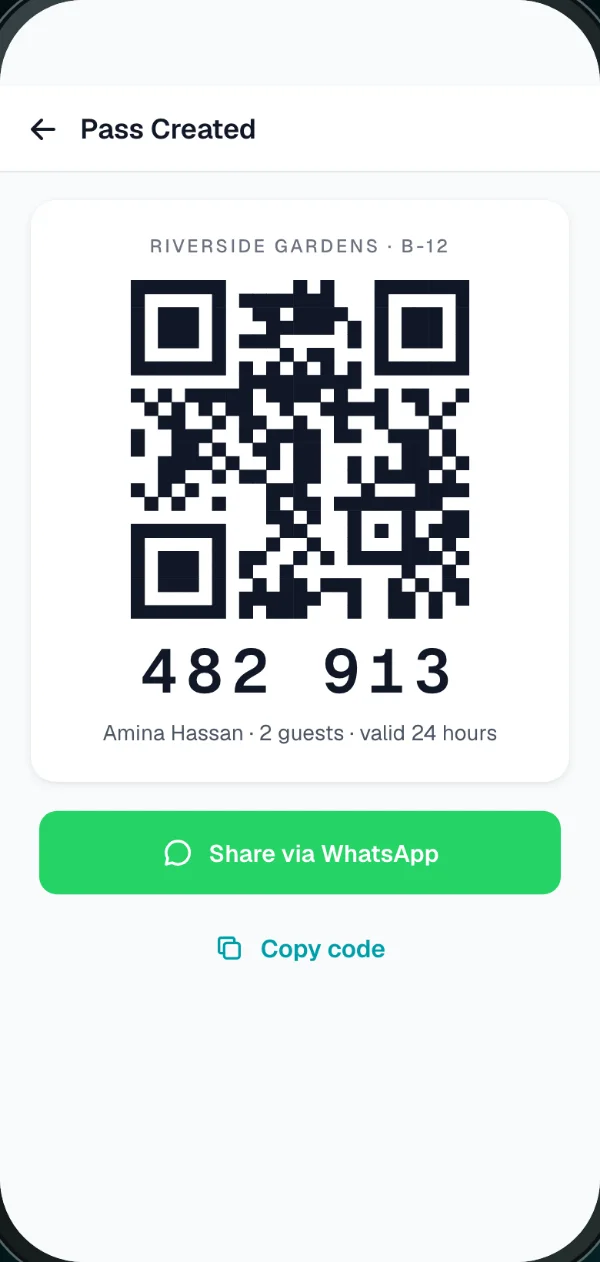
Expecting someone? Send them a QR pass on WhatsApp. The guard scans it at the gate and they go straight in.
One app, three people
Each person sees their own screens: the guard at the gate, the residents, and the society's managers.
For the guard
The gate keeps one shared phone. Guards log in with the property PIN, and End Shift hands it to the next guard.
For residents
Nobody gets in on "he said he's visiting B4" any more. The resident decides, from wherever they are.
For managers, caretakers and committees
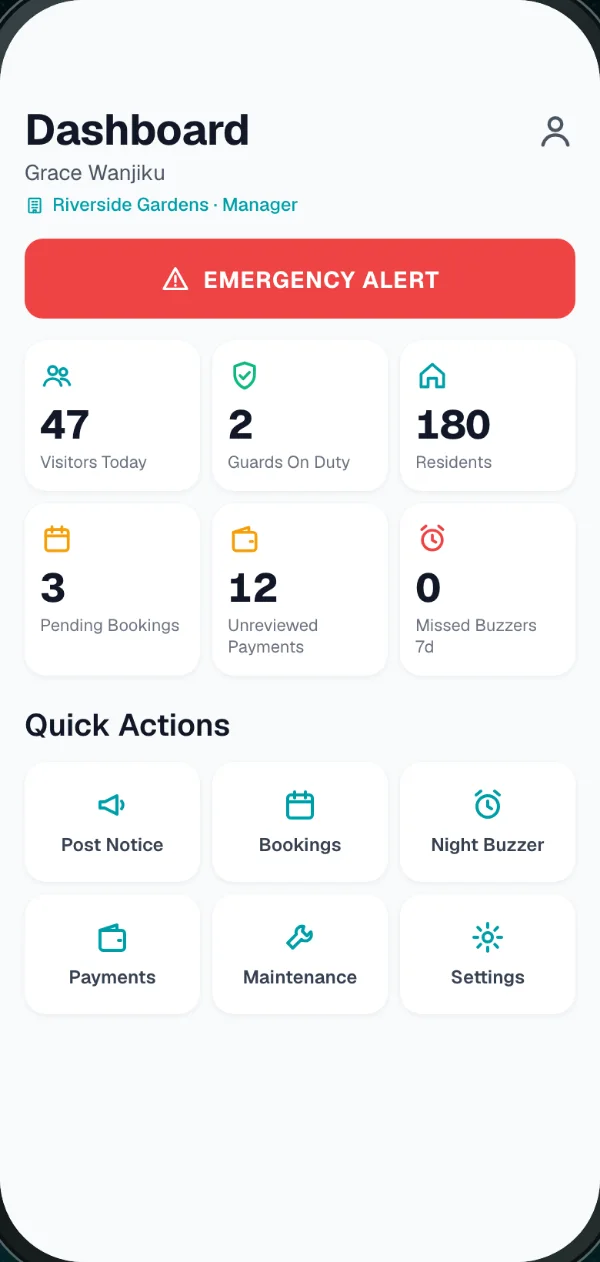
What happened at the gate today, what's waiting for you, and what happened overnight.
The gate log
Each visit is saved with the time, the visitor's details, whether the resident approved, denied or never answered, and which gate phone logged it. When something goes missing, you look up that day instead of asking around.
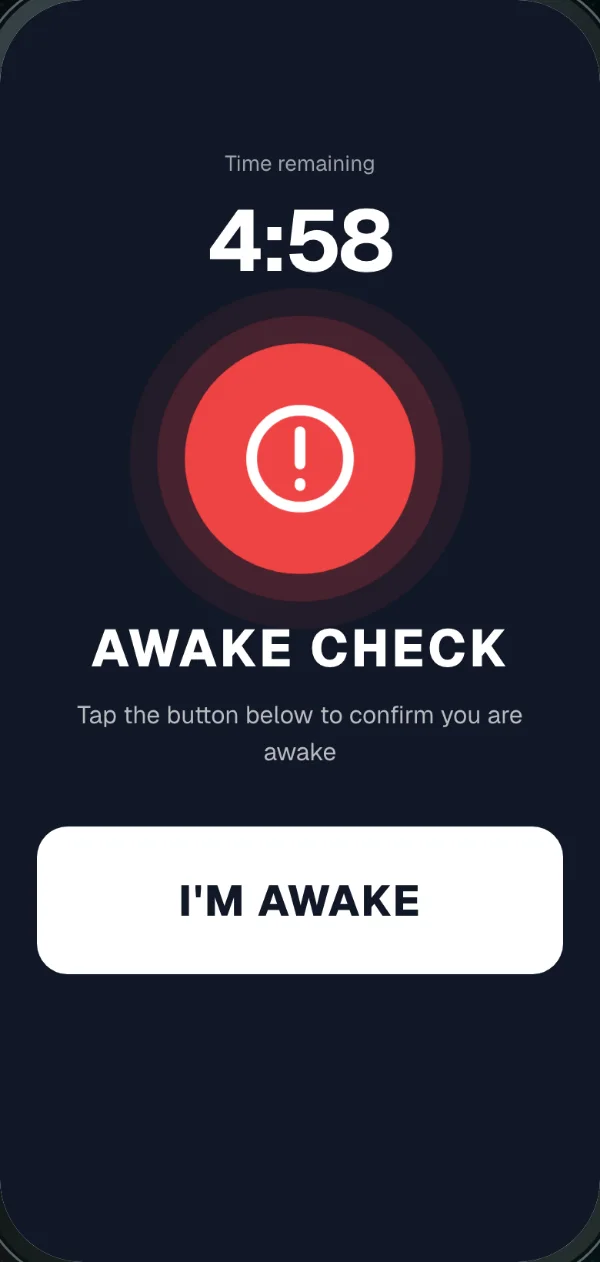
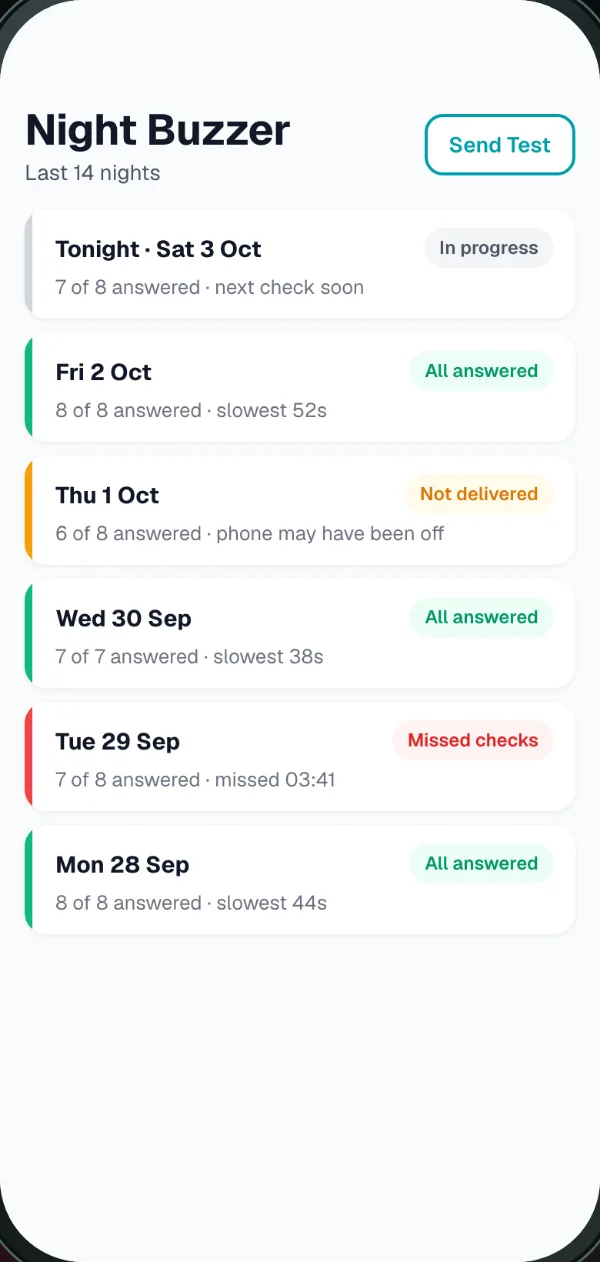
The gate phone rings at a random time, roughly once an hour, so there's no pattern to wait out.
Also in the app
Switch on the ones your property needs.
Water shut-off on Thursday, fumigation, the AGM date. Send to everyone, one block or one unit, and residents get a notification.
One tap from the manager reaches every resident at once.
Residents see which slots are taken and request one. Once you approve it, nobody else can book that slot.
Residents upload the M-Pesa message or bank slip for rent or service charge, and you mark it reviewed. BomaSafe doesn't take payments. It keeps the proofs in one place, so you're not scrolling a WhatsApp group for them.
A leaking tap in C2 gets reported in the app, where the manager can see it, instead of in a hallway conversation.
To approve visitors and make passes, yes: any Android phone or iPhone with data. If a resident doesn't have one, the guard can call them from the visitor screen, as they would today. The visit is still logged, and the app shows it as no response.
After 2 minutes the request closes and the visitor isn't approved. While it's waiting, the guard can tap to call the resident. What happens after that is your society's rule, and the log shows that nobody approved it in the app.
They're stored with the visit record in private storage, never on a public link. In the app, residents see visitors to their own unit only, and the manager sees the property's log.
Yes. BomaSafe is built to comply with the Data Protection Act, 2019. Visitor details and photos are collected for gate security only, kept in private storage, and shown only inside the app to people at your property. Your society stays in charge of its records and we handle them on its behalf. Read our privacy notice.
Very little. Their screen is two buttons and a camera. When the pilot starts, we set up the gate phone and show your guards how it works.
One Android smartphone that stays at the gate, charged and on mobile data. Guards share it using one property PIN. Your society can provide the phone, or we can supply one at a good price; we agree this when you sign up. We recommend Android because the Night Buzzer alarm can't ring through silent mode on an iPhone yet.
BomaSafe needs data. If the gate phone is offline, visitor requests can't reach residents, and the guard goes back to calling them until it's back. Night checks that can't reach the phone show yellow in the report, so you can tell a dead phone from a sleeping guard. Keep a data bundle and a charger at the gate.
Yes, both, for residents and managers. BomaSafe is in beta, so it isn't in the Play Store or App Store yet: during the pilot, residents install it from an invite link (the Android beta, or TestFlight on iPhone). For the gate phone we recommend Android (see above).
We set BomaSafe up with your blocks, units and residents, get the gate phone running, and your residents install the app. Pricing depends on your property, so talk to us and we'll go through it.
Book a pilot
A pilot is running now. Tell us about your property and we'll message you on WhatsApp to set one up.
Or reach us directly
We'll message you on WhatsApp to set up the pilot.